
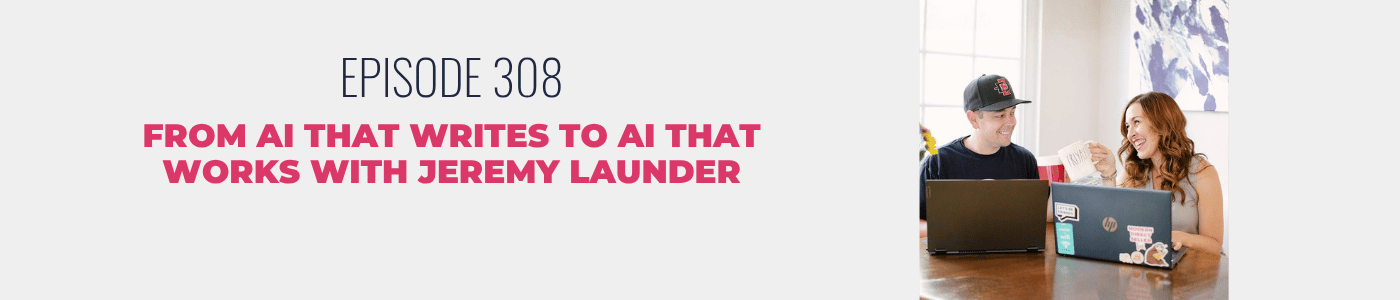
In this episode of the Modern Direct Seller Podcast, Becky and Jeremy Launder pick up where their last AI conversation left off and take it a big step further. They move from using AI to write in your brand voice to having it actually get work done across the tools you already use every day. Jeremy breaks down the tech that’s quietly reshaping how they run their business, and they share an early look at what it’s starting to make possible inside Oh My Hi. If AI has only ever been a writing buddy for you, this one might change how you think about it.
New to Oh My Hi? It’s the direct sales website platform at the center of this conversation, and podcast listeners can claim a free capture and convert homepage when they get started. Inside the Academy and Oh My Hi, you’ll also find a brand new toolkit that walks you through training your AI tool on your business.
Already an Oh My Hi user and want in on the new MCP? Email the Oh My Hi team, and they’ll get you set up.
Time based notes:
- 1:40 – Rapid Fire Questions
- 3:36 – Revisiting Context
- 7:08 – What’s an MCP?
- 10:32 – How the Workday Changed
- 14:30 – Why Oh My Hi Went the MCP Route
- 18:46 – What the MCP Can Do Today
- 21:31 – Inside the Beta
- 24:53 – What’s Next for Oh My Hi
How AI Went From Writing Our Content to Doing Our Work
For many of us, AI started out as a writing assistant. You ask it for a caption or an email, it hands you a draft, and you clean it up from there. Over the past few months, Becky and Jeremy have pushed that a lot further, and their workdays look completely different because of it.
Better Output Starts With Better Context
If you open a fresh ChatGPT or Claude account and ask it to write something, you’ll get the same generic output everyone else gets, because the tool is only working from its training. What changes that is context, which Jeremy describes as the extra information you give your AI about your brand voice and how your business runs.
With that in place, our drafts get about 90% of the way there, and a human still reviews everything before it goes out. Becky even walked our Academy members through building their own context document at our June virtual retreat.
What an MCP Actually Does
The next step was the MCP, short for model context protocol. Jeremy explains it as the standard language AI companies and software providers have agreed on so their tools can talk to each other. Much like an API connects two programs, an MCP server lets your AI tool read, add, and change data inside the software you already use.
Trading Tab Juggling for a Conversation
Jeremy used to start his mornings bouncing between Front, the email platform our team uses, and ClickUp, where our projects live. Now he starts in Claude, which is connected to both. He asks what needs a reply or what’s past due, gets a list back, and tells Claude to close out anything that’s already done.
Becky works the same way, asking Claude which podcast recording is next and letting it draft the interview questions or close the task once it’s finished. We’ve gone from using AI to write in our voice to treating it like an assistant who actually gets things done.
Why We Kept AI Out of the Website Builder
When it came to Oh My Hi, we could have built a chatbot into the platform. Jeremy chose an MCP server instead, because your own Claude or ChatGPT already knows your business and your voice, and a built-in assistant would have to learn all of that from scratch.
Becky put it to the test on a 30-minute drive home from a kids’ birthday party. She turned on Claude’s voice mode, talked through how to teach Cody and Makenzie about money and business, and asked Claude to draft the blog post on her site. It did exactly that.
What Beta Users Are Building
Right now, the Oh My Hi MCP can draft pages and posts, update global styles, and pull images from your media library. Editing live pages isn’t available yet, and that’s on purpose. After a few early users saw their styles change unexpectedly, the team added an approval step so you review changes before they go live.
Around 25 to 30 users are testing it, and some have already rebuilt their entire websites. One user, Cindy, shared that she probably wouldn’t have redone her homepage or updated her services page before, because it felt like a heavy lift. Now she describes her vision, reviews a draft, and clicks publish.
Where Oh My Hi Is Headed Next
Before the MCP opens up to everyone, Jeremy is smoothing out onboarding so that brand colors and fonts get set up through a quick guided conversation. After that come forms and CRM access, so you can ask who’s been opening your emails without buying and draft the follow-up right there. That also frees up our team to spend more time on strategy with our community.
If you want to get your AI ready for all of this, the new toolkit inside the Academy and Oh My Hi walks you through creating the context your AI needs. If you don’t have an Oh My Hi site yet, you can claim a free capture and convert homepage and start building it with your AI.
And if you’re already an Oh My Hi user who wants in on the MCP, email the Oh My Hi team to get set up.



0 Comments